
Notifications are a double-edged sword. They're useful when they tell you something you need to act on - a message from a colleague, a calendar reminder, a CI pipeline that just failed. But they're useless when they pop up at the wrong time and you can't do anything about them yet.
You dismiss them, and then you forget. The chat message goes unanswered for hours. The calendar event happens without you. You meant to get back to it, but the notification is gone and so is your train of thought.
This has been bothering me for years. Email clients solved this decades ago with a "snooze" button - why can't every notification have one?
So I wrote a GNOME Shell extension that does exactly that.
What it does
The extension adds a Snooze button to every notification popup in GNOME Shell. Click it, and the notification disappears, but only temporarily. After a configurable delay, it comes right back as if it were new.
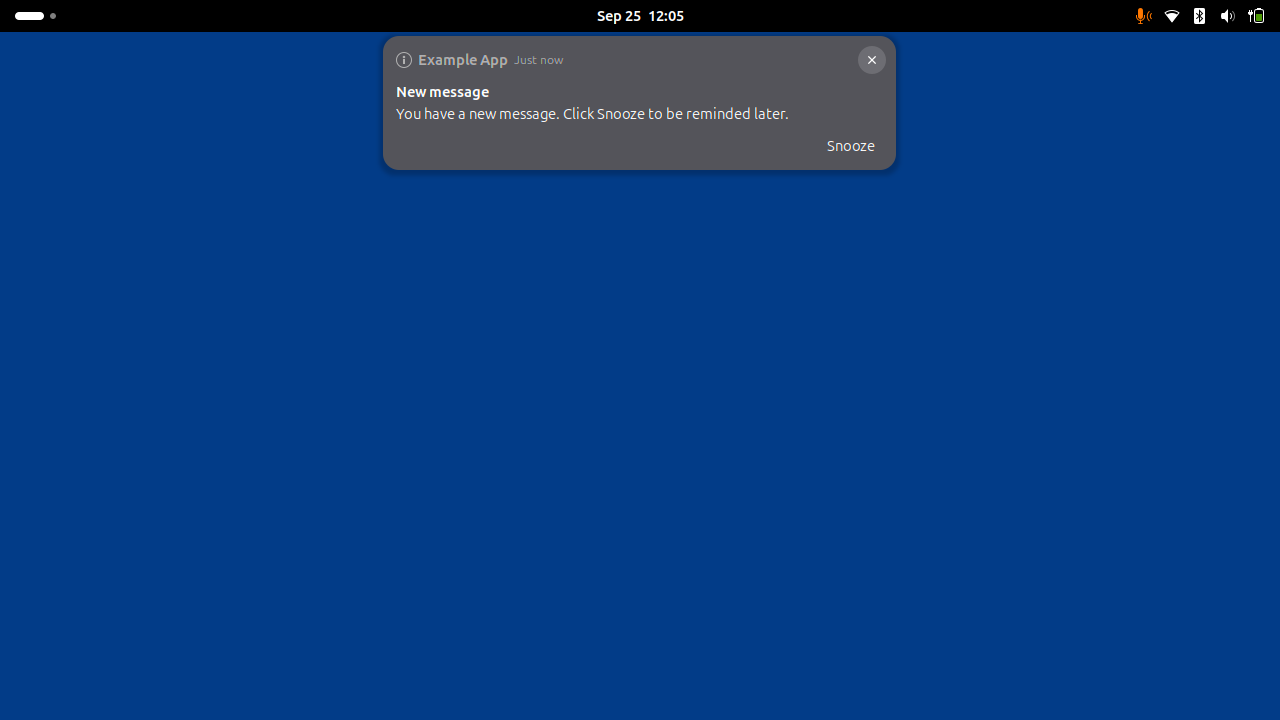
The default delay is 5 minutes, but you can set it anywhere between 1 and 120 minutes through the extension's preferences:
gnome-extensions prefs snooze-notification@freyes.github.io
How it works under the hood
I didn't want to reinvent the wheel here. The extension hooks into GNOME Shell's own notification machinery. When you hit Snooze, it calls the same hide path the shell uses internally, so there shouldn't be risk of focus stealing or fullscreen leaks. The notification is marked as "unseen" again, and when the timer fires, GNOME Shell re-banners it exactly as if it had just arrived.
A few things to be aware of:
- Snoozes live in memory only. If you lock your screen, log out, or disable the extension, snoozed notifications are lost (they re-appear as unseen rather than being silently dropped).
- The Snooze button appears on popup banners, not in the message tray / calendar list.
- If Do Not Disturb is active when a snooze expires, the notification lands quietly in the message list instead of popping up.